Clock View
The Clock View is a full-screen, real-time glucose display served by upstream
gluco-hub-rs (clock.html, baked into the upstream binary).
This add-on wires HA Ingress (ingress: true, ingress_port: 8080) so the Clock View appears in the
Home Assistant sidebar — no configuration needed.
The clock.html file in this repository is a source-of-record reference copy and is
not copied into the Docker image — the upstream binary serves its own bundled version.
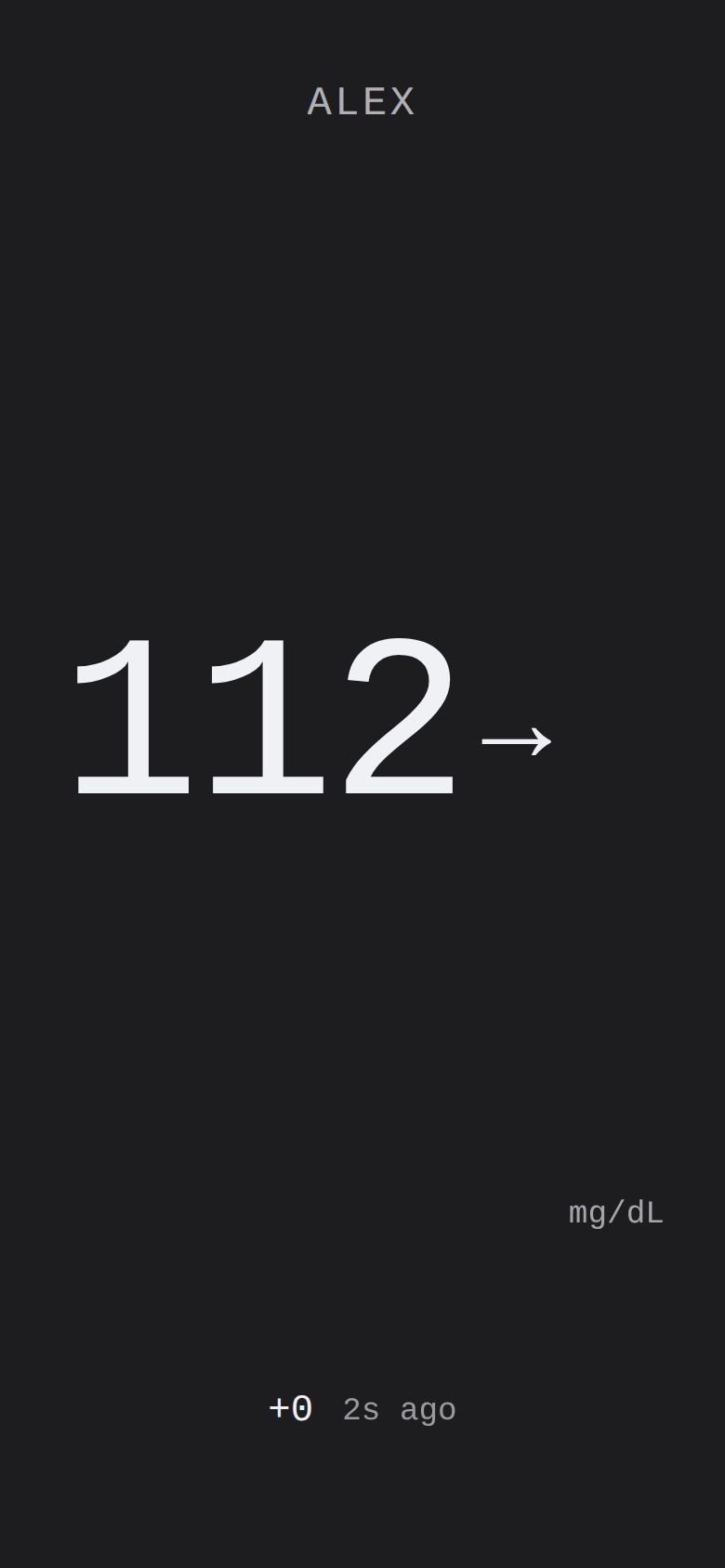
Clock View — rendered with mock data (not a live reading)
Quick access
Open the Clock View from the Home Assistant sidebar — the add-on's Ingress panel serves it directly.
Access is admin-only by default (as configured in config.yaml).
Direct URL (via Ingress proxy): the sidebar panel opens clock.html relative to the Ingress root.
Query parameters can be appended to tailor the display:
?preset=phone&unit=mmol&lo=70&hi=180
Query parameters
All parameters are optional. They are read from the URL query string on page load and merged with any
server-embedded config (window.CLOCK_CONFIG) and localStorage values.
| Parameter | Accepted values | Effect |
|---|---|---|
unit | mgdl (default) | mmol | Display unit for glucose readings. |
lo | Number (mg/dL) | Low threshold. Values below this are shown in the low zone (default 70). |
hi | Number (mg/dL) | High threshold. Values above this are shown in the high zone (default 180). |
eink | Presence flag | Enables e-ink mode (same as preset=eink). Applied before first paint to avoid flash. |
preset | eink | wall | phone | small | watch | Forces a specific layout, overriding auto-detection. preset=eink also activates e-ink mode. |
kiosk | Presence flag | Enables kiosk mode: lengthens the long-press needed to open settings to 3 s and, when pin is set, gates settings behind a PIN prompt. The reading is shown immediately on load. |
pin | Digits string | The PIN required to open settings via long-press in kiosk mode (e.g. ?kiosk&pin=1234). |
dark | 0 | 1 | Force light (0) or dark (1) theme. Absence defers to prefers-color-scheme. |
Parameter priority (highest to lowest): URL param → localStorage → server-embedded config → built-in default.
Layouts
The Clock View automatically selects a layout class based on the viewport dimensions. The preset parameter
overrides auto-detection.
Conditions are evaluated in this order; the first match wins, and phone is the fallback when none match:
| Layout class | Auto-detection condition | Typical device |
|---|---|---|
watch | Short side < 200 px | Smartwatch / tiny display |
small | Short side < 400 px | Small phone or compact widget |
wall | Long side > 900 px | Landscape monitor / wall display / TV |
phone | Fallback (no other condition matched) | Phone, tablet, browser window |
?preset=eink activates e-ink mode (see below) instead of a viewport-based layout.
When ?preset= is set to wall, phone, small, or watch, it forces that layout regardless of the actual
viewport — useful for embedding in iframes or dashboard cards of a fixed size.
E-ink mode
Activated by ?eink (presence flag) or ?preset=eink. Both are equivalent.
Behaviour:
- The e-ink preset is applied before first paint to prevent a theme flash.
- SSE updates are debounced (500 ms) to avoid rapid screen refreshes on slow e-ink panels.
- A visible border is drawn around the display when the reading is in the LOW or HYPO zone, providing a high-contrast at-a-glance visual indicator that works on monochrome screens.
Kiosk mode
Activated by ?kiosk (presence flag). Optionally combined with ?pin=<digits>.
- The reading is shown immediately on load — kiosk mode does not hide it behind an overlay.
- Kiosk mode lengthens the long-press that opens the settings panel from 600 ms to 3 seconds, so a casual touch on a wall display does not open settings.
- With
?pin=<digits>set, the 3-second long-press shows a PIN prompt instead of settings; settings open only after the correct PIN is entered (e.g.?kiosk&pin=4321). - Without a
pin, the 3-second long-press opens settings directly — no PIN prompt is shown. - Tapping the display in kiosk mode does not open the detail/sparkline overlay — that tap gesture is disabled in kiosk mode.
Kiosk mode is a display lock only, not an authentication layer — Home Assistant Ingress already authenticates the session before the page is served.
Data endpoints
The Clock View pulls live glucose data from three endpoints served by gluco-hub-rs:
| Endpoint | Protocol | Purpose |
|---|---|---|
/clock/state | HTTP GET (JSON) | Initial snapshot — polled once on page load to populate the display immediately |
/clock/events | SSE (EventSource) | Live push stream — delivers reading and keepalive events as they arrive |
/clock/history | HTTP GET (JSON array) | Seed data — up to 3 h of { ts, mgdl } history for the trend graph |
See HTTP Status API for the route signatures and response shapes.
Not affiliated with Abbott Laboratories. Unofficial research and self-hosting tool. Use may violate Abbott's LibreLink Up Terms of Service. No warranty. Not for medical decisions, therapy, dosing, or diagnosis.
LibreLink, LibreView, FreeStyle Libre, Libre 2, and Libre 3 are trademarks of Abbott.